Documentation
Namespaces: main
main
Enums for 'main'
// How children are placed on the cross axis (`items_*`, `self_*`).
+ enum Align { start, center, end, stretch }
// The mouse cursor shown over an element.
+ enum Cursor { default, pointer, text, crosshair, not_allowed, resize_ew, resize_ns, move }
// The axis children are placed along.
+ enum Direction { row, column }
+ enum FileDialog { open, save, folder }
+ enum FontWeight { normal, medium, semibold, bold }
// The built-in line icons.
+ enum Icon { check, x, plus, minus, chevron_down, chevron_up, chevron_left, chevron_right, arrow_left, arrow_right, arrow_up, arrow_down, search, menu, more, trash, edit, settings, home, user, file, folder, star, heart, bell, calendar, copy, external, refresh, play, pause, info, warning, sun, moon, grid, list, download, upload, filter, lock, mail, code, terminal, clock, chart, bolt, eye, sidebar, circle }
+ enum ImageFit { fill, contain, cover }
// How free space on the main axis is shared (`justify_*`).
+ enum Justify { start, center, end, between, around, evenly }
// A key on the keyboard, independent of the layout's characters. Typed text arrives through `on_input` instead.
+ enum Key { unknown, a, b, c, d, e, f, g, h, i, j, k, l, m, n, o, p, q, r, s, t, u, v, w, x, y, z, digit0, digit1, digit2, digit3, digit4, digit5, digit6, digit7, digit8, digit9, space, enter, escape, backspace, tab, delete, insert, left, right, up, down, home, end, page_up, page_down, f1, f2, f3, f4, f5, f6, f7, f8, f9, f10, f11, f12, minus, equal, comma, period, slash, semicolon, apostrophe, left_bracket, right_bracket, backslash, grave }
+ enum LengthKind { auto, px, fraction }
+ enum MouseButton { left, right, middle }
+ enum Overflow { visible, hidden, scroll }
+ enum Position { relative, absolute }
+ enum PrimitiveKind { quad, shadow, text, image, line, arc, circle, ring, triangle, clip, unclip }
+ enum TextAlign { left, center, right }
Functions for 'main'
// An element placed at a point of the window, painted above everything else. It moves to stay inside the window, opening upwards or leftwards when there is no room below or to the right; upwards it ends at `above` when given, such as the top of the button that opened it. For menus and popovers.
+ fn anchored(x: f32, y: f32, above: f32 (-1)) Div
// A circle with initials, for a person.
+ fn avatar(name: String, color: Color, size: f32 (32)) Div
// A small rounded label, such as a count or a status.
+ fn badge(text: String, color: Color) Div
+ fn black() Color
// A button with a label and an optional icon before it. Add `on_click`.
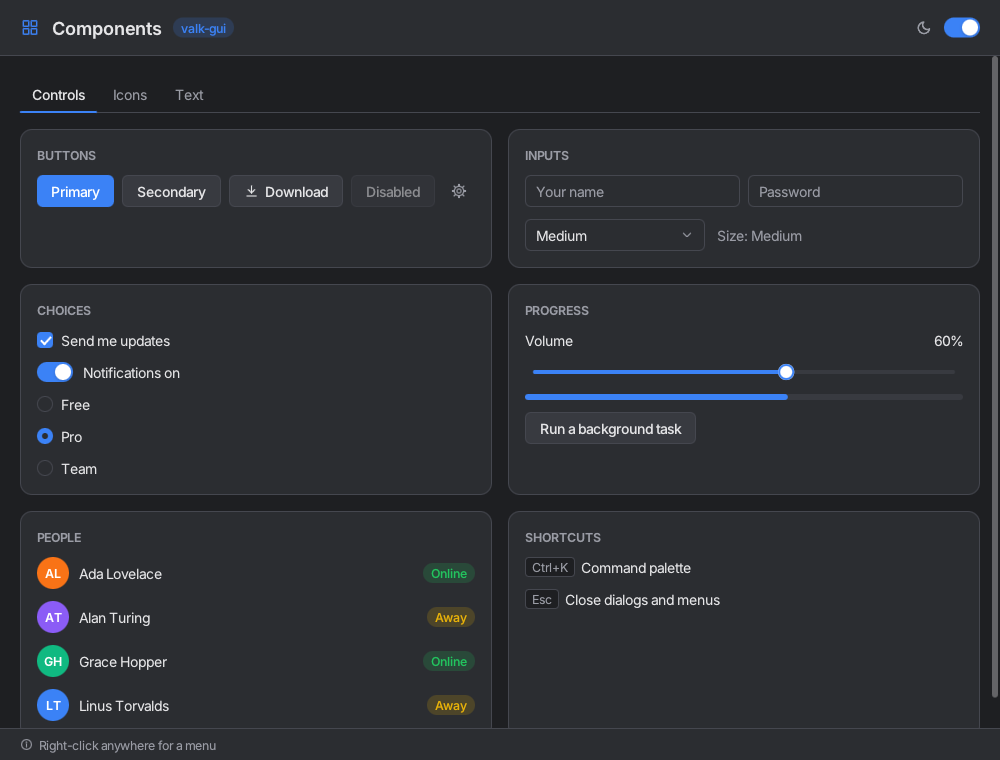
+ fn button(win: Window, label: String, icon: ?Icon (null)) Div
// A button in the accent color, for the main action.
+ fn button_primary(win: Window, label: String, icon: ?Icon (null)) Div
// An element that paints itself with `paint`, which gets the element's bounds. Give it a size.
+ fn canvas(paint: fn(Painter, Bounds)()) Div
// A panel on the background: surface color, border, rounded corners and padding.
+ fn card(win: Window) Div
// A checkbox with a label. Toggle your state in `on_click`.
+ fn checkbox(win: Window, checked: bool, label: String) Div
// Shows the system's file dialog and calls `done` with the chosen path, or with "" when it was cancelled or the system has no dialog program. The dialog runs on another thread, so the window keeps drawing. Linux uses `zenity` or `kdialog`, macOS AppleScript, Windows PowerShell.
+ fn choose_file(win: Window, done: fn(String)(), kind: FileDialog (.open), title: String ("")) void
// A dialog panel with a title, a body and buttons at the bottom right, for use in `modal`.
+ fn dialog(win: Window, title: String, body: Div, buttons: Array[Div]) Div
// A new empty element.
+ fn div() Div
// A thin line between sections.
+ fn divider(win: Window) Div
// Draws an icon into `b` with the given color, for use in a canvas.
+ fn draw_icon(p: Painter, name: Icon, b: Bounds, color: Color) void
// A window without a screen, for tests: `draw` fills `scene`, and `click`, `press`, `type_text` and the others simulate input. Text is measured as if every character were half the font size wide.
+ fn headless(root: Render, width: f32 (800), height: f32 (600), theme: Theme (Theme.dark())) Window
// A color from hue (0 to 360), saturation, lightness and alpha (0 to 1).
+ fn hsla(h: f32, s: f32, l: f32, a: f32) Color
// An icon drawn with lines in the current text color, `size` pixels square.
+ fn icon(name: Icon, size: f32 (16)) Div
// A square button with only an icon; give it a `tooltip`.
+ fn icon_button(win: Window, name: Icon, size: f32 (32)) Div
// An image from a file (PNG, JPG, BMP, QOI). It is as large as the image unless sized.
+ fn img(path: String) Div
// A key or key combination in a box, such as "Ctrl+S".
+ fn kbd(win: Window, keys: String) Div
// A short label for a key, as shown in menus.
+ fn key_label(key: Key) String
// A panel of menu entries. Choosing one calls `close` and then the entry's action.
+ fn menu(win: Window, items: Array[MenuItem], close: fn()()) Div
// A dialog in the middle of the window over a dimmed backdrop. Clicking the backdrop or pressing Escape calls `on_close`.
+ fn modal(win: Window, content: Div, on_close: fn()()) Div
// A bar filled to `value` (0 to 1).
+ fn progress(win: Window, value: f32) Div
// A round option button with a label. Choose it in `on_click`.
+ fn radio(win: Window, checked: bool, label: String) Div
// A color from a hex number such as `0x3b82f6`, fully opaque.
+ fn rgb(hex: u32) Color
// A color from a hex number with alpha in the lowest byte, such as `0x3b82f680`.
+ fn rgba(hex: u32) Color
// Opens a window, shows `root` in it and handles input until the window closes.
+ fn run(root: Render, options: WindowOptions (WindowOptions{})) void !InitError
// A horizontal slider for a value from 0 to 1. `on_change` gets the new value while the track is pressed or dragged.
+ fn slider(win: Window, value: f32, on_change: fn(f32)()) Div
// A spinning circle, for work in progress. It keeps the window drawing while shown.
+ fn spinner(win: Window, size: f32 (18)) Div
// An on/off switch. Toggle your state in `on_click`.
+ fn switch(win: Window, on: bool) Div
// A row of tabs with a line under the selected one that slides to the new tab. `id` names the row, unique in the window.
+ fn tabs(win: Window, id: String, labels: Array[String], selected: uint, on_select: fn(uint)()) Div
// A text element. It takes its color, size and weight from its parents unless set on it.
+ fn text(content: String) Div
+ fn transparent() Color
// A scrolling list of `count` rows of equal height that only builds the rows in view, so it stays fast with any number of rows. `row` builds the row at an index. `id` names the list; it must be unique in the window.
+ fn uniform_list(win: Window, id: String, count: uint, row_height: f32, row: fn(uint)(Div)) Div
// `text` in the order it is drawn, left to right, with Arabic letters in their joined forms. Text elements and `Painter.text` do this already; it is for measuring or drawing by hand.
+ fn visual_text(text: String) String
+ fn white() Color
Classes for 'main'
// A key combination bound to an action with `Window.bind`.
+ struct Binding {
    + action: String
    + key: Key
    + modifiers: Modifiers
}
// A rectangle in logical pixels, from its top-left corner.
+ struct Bounds {
    + h: f32
    + w: f32
    + x: f32
    + y: f32

    + get bottom: f32
    + get center: Point
    // Whether the point lies inside, counting the top and left edges but not the right and bottom.
    + fn contains(x: f32, y: f32) bool
    // The rectangle grown by `amount` on every side.
    + fn grow(amount: f32) Bounds
    // The rectangle moved inwards by `edges`.
    + fn inset(edges: Edges) Bounds
    // The overlap of two rectangles; zero-sized when they do not overlap.
    + fn intersect(other: Bounds) Bounds
    + get right: f32
}
// An RGBA color, 8 bits per channel.
+ struct Color {
    + a: u8
    + b: u8
    + g: u8
    + r: u8

    // The color mixed with black by `amount` (0 to 1).
    + fn darken(amount: f32) Color
    // The color with its alpha multiplied by `factor` (0 to 1).
    + fn fade(factor: f32) Color
    + fn is_transparent() bool
    // The color mixed with white by `amount` (0 to 1).
    + fn lighten(amount: f32) Color
    // The color `t` of the way to `other` (0 gives this color, 1 gives `other`).
    + fn mix(other: Color, t: f32) Color
    // The same color with its alpha set to `alpha` (0 to 1).
    + fn opacity(alpha: f32) Color
}
// A radius per corner.
+ struct Corners {
    + bottom_left: f32
    + bottom_right: f32
    + top_left: f32
    + top_right: f32

    + static fn all(radius: f32) Corners
    // The radii, each no larger than half of the box.
    + fn clamp(w: f32, h: f32) Corners
    + fn grow(amount: f32) Corners
    + fn is_zero() bool
}
// The element everything is built from: a box with a style, children, and event handlers. `text`, `canvas` and `img` make the other kinds.
+ class Div {
    ~+ bounds: Bounds
    ~+ child_nodes: Array[Div]
    ~+ content: String
    ~+ content_h: f32
    ~+ content_w: f32
    ~+ key: u64
    ~+ kind: NodeKind
    ~+ name: ?String
    ~+ parent: ?Div
    ~+ scroll_x: f32
    ~+ scroll_y: f32
    + style: Style

    // Takes the element out of the flow, placed with `top`, `right`, `bottom` and `left` inside its parent. It is painted above its in-flow siblings.
    + fn absolute() Div
    // Style changes while the mouse button is held on the element.
    + fn active(refine: fn(Style)()) Div
    + fn bg(color: Color) Div
    // A background that fades from one color to another; see `Gradient` for the angle.
    + fn bg_gradient(from: Color, to: Color, angle: f32 (180)) Div
    // The border width on every side; `border_color` sets the color.
    + fn border(width: f32) Div
    + fn border_b(width: f32) Div
    + fn border_color(color: Color) Div
    + fn border_l(width: f32) Div
    + fn border_r(width: f32) Div
    + fn border_t(width: f32) Div
    + fn bottom(value: f32) Div
    // Centers children on both axes.
    + fn center() Div
    // Adds a child element, or a text when given a `String`.
    + fn child(item: String | Div) Div
    + fn children(items: Array[Div]) Div
    // Lets the mouse through to what is below the element; its children still take it.
    + fn click_through() Div
    // How many grid columns the element takes.
    + fn col_span(columns: uint) Div
    + fn cursor(cursor: Cursor) Div
    + fn cursor_pointer() Div
    + fn cursor_text() Div
    // Paints the element after everything else and without the clipping of its parents, and lets it take the mouse first: for menus, popovers and dialogs. Its layout is unchanged; combine it with `absolute`.
    + fn deferred() Div
    // Style changes while something draggable is held over this drop target.
    + fn drag_over(refine: fn(Style)()) Div
    // Lets the element be dragged onto elements with `on_drop`, which receive `payload`. While dragging, `preview` (or a plain box the size of the element) follows the mouse.
    + fn draggable(payload: String, preview: ?fn()(Div) (null)) Div
    // Places children in a row.
    + fn flex() Div
    // Grows and shrinks from a zero base size, sharing space with its siblings.
    + fn flex_1() Div
    + fn flex_basis(value: f32) Div
    // Places children in a column, the default.
    + fn flex_col() Div
    // Grows into free space, from its content size.
    + fn flex_grow() Div
    // Neither grows nor shrinks.
    + fn flex_none() Div
    + fn flex_row() Div
    + fn flex_shrink_0() Div
    // Lets children that do not fit continue on a new line (or column).
    + fn flex_wrap() Div
    // Style changes while the element's focus handle has focus.
    + fn focus(refine: fn(Style)()) Div
    // A font family added with `Window.add_font` or `WindowOptions.fonts`.
    + fn font(name: String) Div
    + fn font_bold() Div
    + fn font_medium() Div
    + fn font_semibold() Div
    + fn font_weight(weight: FontWeight) Div
    // Space between children on both axes.
    + fn gap(value: f32) Div
    + fn gap_x(value: f32) Div
    + fn gap_y(value: f32) Div
    // Places children in a grid of `columns` equal columns, row by row; `gap` spaces the cells.
    + fn grid(columns: uint) Div
    + fn h(value: f32) Div
    + fn h_auto() Div
    + fn h_frac(value: f32) Div
    + fn h_full() Div
    // Removes the element from layout and painting.
    + fn hidden() Div
    // Style changes while the mouse is over the element.
    + fn hover(refine: fn(Style)()) Div
    // Names the element. An id keeps the element's scroll position and pressed state while the tree around it changes, and lets tests find it with `Window.bounds_of`.
    + fn id(name: String) Div
    + fn inset(value: f32) Div
    // Keeps the element's space but does not paint it.
    + fn invisible() Div
    + fn is_focusable() bool
    + fn italic() Div
    + fn items_center() Div
    + fn items_end() Div
    + fn items_start() Div
    + fn items_stretch() Div
    + fn justify_around() Div
    + fn justify_between() Div
    + fn justify_center() Div
    + fn justify_end() Div
    + fn justify_evenly() Div
    + fn justify_start() Div
    + fn left(value: f32) Div
    // The line height as a multiple of the text size.
    + fn line_height(factor: f32) Div
    + fn line_through() Div
    + fn m(value: f32) Div
    + fn max_h(value: f32) Div
    + fn max_w(value: f32) Div
    + fn mb(value: f32) Div
    + fn min_h(value: f32) Div
    + fn min_w(value: f32) Div
    + fn ml(value: f32) Div
    + fn mr(value: f32) Div
    + fn mt(value: f32) Div
    + fn mx(value: f32) Div
    + fn my(value: f32) Div
    + fn no_underline() Div
    + fn not_italic() Div
    // Scales an image to fit inside the element, keeping its aspect ratio.
    + fn object_contain() Div
    // Scales an image to cover the element, keeping its aspect ratio and cutting off the rest.
    + fn object_cover() Div
    // Runs `handler` for the action `name` while the element or one of its children has focus, or always for the root element. Actions come from key bindings (`Window.bind`) and from `Window.dispatch`.
    + fn on_action(name: String, handler: fn()()) Div
    // Runs when the left button is pressed and released on the element. Only the innermost element with a click handler runs.
    + fn on_click(handler: fn(MouseEvent)()) Div
    // Runs when Escape is pressed and nothing else used it, for the last element with this handler in the tree: close a menu, dialog or popover.
    + fn on_dismiss(handler: fn()()) Div
    // Runs on every mouse move while the button that was pressed on the element is held, also when the mouse is outside it.
    + fn on_drag(handler: fn(MouseEvent)()) Div
    // Runs with the payload of a `draggable` element dropped on this one.
    + fn on_drop(handler: fn(String)()) Div
    // Runs with the paths of files dropped on the element from outside the program.
    + fn on_drop_files(handler: fn(Array[String])()) Div
    // Runs with typed text while the element, or one of its children, has focus.
    + fn on_input(handler: fn(String)()) Div
    // Runs for key presses while the element, or one of its children, has focus. The root element also receives them when nothing has focus.
    + fn on_key_down(handler: fn(KeyEvent)()) Div
    + fn on_mouse_down(handler: fn(MouseEvent)()) Div
    + fn on_mouse_move(handler: fn(MouseEvent)()) Div
    + fn on_mouse_up(handler: fn(MouseEvent)()) Div
    + fn on_scroll(handler: fn(ScrollEvent)()) Div
    // Paints the element and its children with this opacity (0 to 1).
    + fn opacity(value: f32) Div
    // Clips children to the padding box.
    + fn overflow_hidden() Div
    + fn overflow_scroll() Div
    + fn overflow_x_scroll() Div
    // Scrolls vertically when the children are taller. Give the element an `id` to keep its scroll position when the tree changes shape.
    + fn overflow_y_scroll() Div
    + fn p(value: f32) Div
    + fn pb(value: f32) Div
    + fn pl(value: f32) Div
    + fn pr(value: f32) Div
    + fn pt(value: f32) Div
    + fn px(value: f32) Div
    + fn py(value: f32) Div
    + fn relative() Div
    + fn right(value: f32) Div
    // The corner radius.
    + fn rounded(radius: f32) Div
    + fn rounded_b(radius: f32) Div
    + fn rounded_bl(radius: f32) Div
    + fn rounded_br(radius: f32) Div
    // Corners as round as the element allows: a pill, or a circle for a square.
    + fn rounded_full() Div
    + fn rounded_l(radius: f32) Div
    + fn rounded_r(radius: f32) Div
    + fn rounded_t(radius: f32) Div
    + fn rounded_tl(radius: f32) Div
    + fn rounded_tr(radius: f32) Div
    // Allows selecting and copying static text with the mouse and Ctrl/Cmd+C. Inherited by children.
    + fn selectable(on: bool (true)) Div
    + fn self_center() Div
    + fn self_end() Div
    + fn self_start() Div
    + fn self_stretch() Div
    + fn shadow(shadow: Shadow) Div
    + fn shadow_lg() Div
    + fn shadow_md() Div
    + fn shadow_none() Div
    + fn shadow_sm() Div
    + fn size(value: f32) Div
    + fn size_full() Div
    // The text of a text element.
    + get text: String
    + fn text_2xl() Div
    + fn text_3xl() Div
    + fn text_base() Div
    + fn text_center() Div
    + fn text_color(color: Color) Div
    + fn text_left() Div
    + fn text_lg() Div
    + fn text_right() Div
    + fn text_size(size: f32) Div
    + fn text_sm() Div
    + fn text_xl() Div
    + fn text_xs() Div
    // Text shown in a small box near the mouse after it rests on the element for half a second.
    + fn tooltip(text: String) Div
    + fn top(value: f32) Div
    // Makes the element focusable: clicking it focuses `handle`, Tab moves to it, and its key handlers receive key presses while it is focused.
    + fn track_focus(handle: FocusHandle) Div
    // Keeps text on one line and ends it with "…" when it does not fit.
    + fn truncate() Div
    + fn underline() Div
    + fn w(value: f32) Div
    + fn w_auto() Div
    // Width as a fraction of the parent's, such as 0.5 for half.
    + fn w_frac(value: f32) Div
    + fn w_full() Div
    // Calls `build` with the element when `condition` holds, for styles that depend on state.
    + fn when(condition: bool, build: fn(Div)()) Div
    // Keeps text on one line.
    + fn whitespace_nowrap() Div
}
// Values for the four sides of a box, used for padding, margins and border widths.
+ struct Edges {
    + bottom: f32
    + left: f32
    + right: f32
    + top: f32

    + fn add(other: Edges) Edges
    + static fn all(value: f32) Edges
    + get horizontal: f32
    + fn is_uniform() bool
    + fn is_zero() bool
    + get vertical: f32
}
// Keeps track of whether an element has keyboard focus. Make one per focusable element and keep it with the element's state; give it to the element with `track_focus`.
+ class FocusHandle {
    + fn blur() void
    + fn focus() void
    + fn is_focused() bool
}
// A font file for a family used with `Styled.font`.
+ struct FontFile {
    + name: String
    + path: String
    + weight: FontWeight
}
// A linear gradient. The angle follows CSS: 0 runs upwards, 90 to the right, 180 downwards.
+ struct Gradient {
    + angle: f32
    + from: Color
    + to: Color
}
// Text metrics without a window: every character is half the font size wide.
+ class HeadlessPlatform is Platform {
    + images: Map[Point]

    + fn clipboard() String
    + fn image_size(path: String) Point
    + fn set_clipboard(text: String) void
    + fn text_width(text: String, font: ResolvedFont) f32
}
// A key press, or a repeat while the key is held.
+ class KeyEvent {
    + key: Key
    + modifiers: Modifiers
    + repeat: bool
    ~+ stopped: bool

    // Stops the event from reaching parent elements and the window's own handling, such as Tab moving the focus.
    + fn stop_propagation() void
}
// A size: automatic, in pixels, or a fraction of the parent's size.
+ struct Length {
    + kind: LengthKind
    + value: f32

    + static fn auto() Length
    + static fn fraction(value: f32) Length
    + static fn px(value: f32) Length
    // The size in pixels, or -1 when it is automatic or the parent's size is unknown.
    + fn resolve(parent: f32) f32
}
// An entry of `menu`.
+ class MenuItem {
    + action: ?fn()()
    // Shown in the danger color, for destructive actions.
    + danger: bool
    + disabled: bool
    + icon: ?Icon
    + label: String
    // A line instead of an entry.
    + separator: bool
    // Text on the right, such as a key combination.
    + shortcut: String

    + fn as_danger() MenuItem
    + static fn line() MenuItem
    + static fn new(label: String, action: fn()()) MenuItem
    + fn with_icon(icon: Icon) MenuItem
    + fn with_shortcut(text: String) MenuItem
}
// The modifier keys held during an event.
+ struct Modifiers {
    + alt: bool
    // The Command key on macOS, the Windows or Super key elsewhere.
    + cmd: bool
    + ctrl: bool
    + shift: bool

    // Command on macOS, Control elsewhere: the modifier of shortcuts like copy and paste.
    + get secondary: bool
}
// A mouse press, release, move or click. Coordinates are relative to the window.
+ class MouseEvent {
    // The bounds of the element whose handler runs.
    + bounds: Bounds
    + button: MouseButton
    // 2 for a double click, 3 for a triple click.
    + click_count: uint
    + modifiers: Modifiers
    ~+ stopped: bool
    + x: f32
    + y: f32

    // The position relative to the element's top-left corner.
    + get local_x: f32
    + get local_y: f32
    // Stops the event from reaching the handlers of parent elements.
    + fn stop_propagation() void
}
// Draws into the scene from a `canvas` element. Coordinates are window coordinates; the canvas's bounds are given next to the painter.
+ class Painter {
    // The text color the canvas inherits, for drawing that should match the text around it.
    ~+ color: Color

    // An arc of a circle from angle `start` to `end`, in degrees clockwise from the right.
    + fn arc(x: f32, y: f32, radius: f32, start: f32, end: f32, color: Color, width: f32 (1)) void
    + fn circle(x: f32, y: f32, radius: f32, color: Color) void
    // Limits drawing to `bounds` until `unclip`.
    + fn clip(bounds: Bounds) void
    + fn fill(bounds: Bounds, color: Color, radius: f32 (0)) void
    // A rectangle filled with a gradient; see `Gradient` for the angle.
    + fn fill_gradient(bounds: Bounds, from: Color, to: Color, angle: f32 (180), radius: f32 (0)) void
    // An image file drawn into `bounds`.
    + fn image(bounds: Bounds, path: String, radius: f32 (0), fit: ImageFit (.fill)) void
    + fn line(x1: f32, y1: f32, x2: f32, y2: f32, color: Color, width: f32 (1)) void
    // Connected lines through `points`, with round joins.
    + fn polyline(points: Array[Point], color: Color, width: f32 (1)) void
    + fn ring(x: f32, y: f32, radius: f32, color: Color, width: f32 (1)) void
    + fn stroke(bounds: Bounds, color: Color, width: f32 (1), radius: f32 (0)) void
    // One line of text in a line box 1.4 times the size high, with its top-left corner at `x`, `y`.
    + fn text(x: f32, y: f32, content: String, color: Color, size: f32 (16), weight: FontWeight (.normal), font: String (""), italic: bool (false)) void
    + fn text_width(content: String, size: f32 (16), weight: FontWeight (.normal), font: String (""), italic: bool (false)) f32
    // A filled triangle; the corners may be in either order.
    + fn triangle(a: Point, b: Point, c: Point, color: Color) void
    + fn unclip() void
}
// A window inside the window: a title bar to drag it by, a corner to resize it from, and a close button. Keep panels in a `PanelStack`.
+ class Panel {
    + closable: bool
    // Builds the panel's content every frame.
    + content: fn()(Div)
    ~+ h: f32
    + icon: ?Icon
    ~+ id: String
    + min_h: f32
    + min_w: f32
    + open: bool
    + resizable: bool
    + title: String
    ~+ w: f32
    ~+ x: f32
    ~+ y: f32

    // Moves the panel to a window position.
    + fn move_to(x: f32, y: f32) Panel
    + static fn new(title: String, content: fn()(Div)) Panel
    + fn resize(w: f32, h: f32) Panel
}
// Floating panels, painted over the rest of the window in their stacking order. Pressing a panel brings it to the front.
+ class PanelStack {
    ~+ panels: Array[Panel]

    + fn add(panel: Panel) Panel
    // Puts the panel on top of the others.
    + fn front(panel: Panel) void
    + fn render(win: Window) Div
    // The panel on top, or null.
    + fn top() ?Panel
}
// What the window needs from the system it runs on: text metrics, images and the clipboard. `run` uses TrueType fonts; `headless` uses fixed-width metrics for tests.
+ interface Platform {
}
// A point in logical pixels.
+ struct Point {
    + x: f32
    + y: f32
}
// Keeps a popup open at a point: a menu, a context menu or any other floating panel. Clicking outside it or pressing Escape closes it.
+ class Popup {
    ~+ above: f32
    ~+ open: bool
    ~+ x: f32
    ~+ y: f32

    + fn close() void
    // Opens at a window position; `above` is where it ends when there is only room above.
    + fn open_at(x: f32, y: f32, above: f32 (-1)) void
    // Opens below an element of the last frame, aligned with its left edge.
    + fn open_below(b: Bounds) void
    // The popup with `content` when open, or an element that takes no space. Put it anywhere in the tree; it is painted above everything.
    + fn render(win: Window, content: Div) Div
}
// One drawing command. Which fields matter depends on `kind`.
+ struct Primitive {
    // The gradient's angle, as in `Gradient`.
    + angle: f32
    + border: Edges
    + border_color: Color
    + bounds: Bounds
    // For text: a label made only of symbols, such as "+", is centered on its own shape.
    + center_symbols: bool
    + color: Color
    // With `gradient`, the color `color` fades to.
    + color2: Color
    // The corner radii of a quad, shadow or image.
    + corners: Corners
    + fit: ImageFit
    + font: ResolvedFont
    + gradient: bool
    + kind: PrimitiveKind
    // Line end points, triangle corners.
    + points: [Point x 3]
    // The radius of a circle or ring.
    + radius: f32
    + text: String
    // The blur of a shadow, the width of a line or ring.
    + width: f32
}
// Something that draws itself as an element tree. The root of a window is one, and so is every component with state of its own.
+ interface Render {
}
// The font a text is drawn with, after inheritance.
+ struct ResolvedFont {
    + italic: bool
    // The height of one line in pixels.
    + line_height: f32
    // The family name, "" for the built-in Inter.
    + name: String
    + size: f32
    + weight: FontWeight
}
// What a frame draws, in order. The window rebuilds it every frame.
+ class Scene {
    + items: Array[Primitive]

    + fn clear() void
    // The first text that contains `part`.
    + fn find_text(part: String) ?Primitive
    // Whether a drawn text contains `part`.
    + fn has_text(part: String) bool
    // Every text drawn, in order.
    + fn texts() Array[String]
}
// A scroll wheel or touchpad scroll, in pixels.
+ class ScrollEvent {
    + bounds: Bounds
    + dx: f32
    + dy: f32
    + modifiers: Modifiers
    ~+ stopped: bool
    + x: f32
    + y: f32

    + fn stop_propagation() void
}
// A dropdown to choose one of several options.
+ class Select is Render {
    ~+ id: String
    // Called with the index of the chosen option.
    + on_change: ?fn(uint)()
    + options: Array[String]
    + placeholder: String
    ~+ selected: uint
    + width: f32

    + static fn new(options: Array[String], selected: uint (0)) Select
    + fn render(win: Window) Div
    + fn select(index: uint) void
    + get value: String
}
// A drop shadow behind an element.
+ struct Shadow {
    + blur: f32
    + color: Color
    + spread: f32
    + x: f32
    + y: f32
}
// Everything that decides how an element is laid out and painted. Elements, and the closures given to `hover`, `active` and `focus`, change it through the `Styled` methods. Text properties left `null` are inherited from the parent.
+ class Style {
    + align_items: Align
    + align_self: ?Align
    + alpha: f32
    + anchor_above: f32
    + anchor_window: bool
    + background: ?Color
    + basis: Length
    + border_tint: Color
    + border_widths: Edges
    + box_shadow: ?Shadow
    + color: ?Color
    + column_gap: f32
    + column_span: uint
    + corner_radii: ?Corners
    + cursor_style: ?Cursor
    + direction: Direction
    + display_none: bool
    + ellipsis: ?bool
    + font_italic: ?bool
    + font_name: ?String
    + font_size: ?f32
    + gradient: ?Gradient
    + grid_columns: uint
    + grow: f32
    + height: Length
    + image_fit: ImageFit
    + inset_bottom: ?f32
    + inset_left: ?f32
    + inset_right: ?f32
    + inset_top: ?f32
    + justify: Justify
    + leading: ?f32
    + margin: Edges
    + max_height: ?f32
    + max_width: ?f32
    + min_height: ?f32
    + min_width: ?f32
    + nowrap: ?bool
    + on_top: bool
    + overflow_x: Overflow
    + overflow_y: Overflow
    + padding: Edges
    + pass_through: bool
    + position: Position
    + radius: f32
    + row_gap: f32
    + shrink: f32
    + text_align: ?TextAlign
    + text_selectable: ?bool
    + text_strike: ?bool
    + text_underline: ?bool
    + visible: bool
    + weight: ?FontWeight
    + width: Length
    + wrap: bool

    // Takes the element out of the flow, placed with `top`, `right`, `bottom` and `left` inside its parent. It is painted above its in-flow siblings.
    + fn absolute() Style
    + fn bg(color: Color) Style
    // A background that fades from one color to another; see `Gradient` for the angle.
    + fn bg_gradient(from: Color, to: Color, angle: f32 (180)) Style
    // The border width on every side; `border_color` sets the color.
    + fn border(width: f32) Style
    + fn border_b(width: f32) Style
    + fn border_color(color: Color) Style
    + fn border_l(width: f32) Style
    + fn border_r(width: f32) Style
    + fn border_t(width: f32) Style
    + fn bottom(value: f32) Style
    // Centers children on both axes.
    + fn center() Style
    // Lets the mouse through to what is below the element; its children still take it.
    + fn click_through() Style
    // How many grid columns the element takes.
    + fn col_span(columns: uint) Style
    // The corner radii, from `rounded` or the per-corner methods.
    + fn corners() Corners
    + fn cursor(cursor: Cursor) Style
    + fn cursor_pointer() Style
    + fn cursor_text() Style
    // Paints the element after everything else and without the clipping of its parents, and lets it take the mouse first: for menus, popovers and dialogs. Its layout is unchanged; combine it with `absolute`.
    + fn deferred() Style
    // Places children in a row.
    + fn flex() Style
    // Grows and shrinks from a zero base size, sharing space with its siblings.
    + fn flex_1() Style
    + fn flex_basis(value: f32) Style
    // Places children in a column, the default.
    + fn flex_col() Style
    // Grows into free space, from its content size.
    + fn flex_grow() Style
    // Neither grows nor shrinks.
    + fn flex_none() Style
    + fn flex_row() Style
    + fn flex_shrink_0() Style
    // Lets children that do not fit continue on a new line (or column).
    + fn flex_wrap() Style
    // A font family added with `Window.add_font` or `WindowOptions.fonts`.
    + fn font(name: String) Style
    + fn font_bold() Style
    + fn font_medium() Style
    + fn font_semibold() Style
    + fn font_weight(weight: FontWeight) Style
    // Space between children on both axes.
    + fn gap(value: f32) Style
    + fn gap_x(value: f32) Style
    + fn gap_y(value: f32) Style
    // Places children in a grid of `columns` equal columns, row by row; `gap` spaces the cells.
    + fn grid(columns: uint) Style
    + fn h(value: f32) Style
    + fn h_auto() Style
    + fn h_frac(value: f32) Style
    + fn h_full() Style
    // Removes the element from layout and painting.
    + fn hidden() Style
    + fn inset(value: f32) Style
    // Keeps the element's space but does not paint it.
    + fn invisible() Style
    + fn italic() Style
    + fn items_center() Style
    + fn items_end() Style
    + fn items_start() Style
    + fn items_stretch() Style
    + fn justify_around() Style
    + fn justify_between() Style
    + fn justify_center() Style
    + fn justify_end() Style
    + fn justify_evenly() Style
    + fn justify_start() Style
    + fn left(value: f32) Style
    // The line height as a multiple of the text size.
    + fn line_height(factor: f32) Style
    + fn line_through() Style
    + fn m(value: f32) Style
    + fn max_h(value: f32) Style
    + fn max_w(value: f32) Style
    + fn mb(value: f32) Style
    + fn min_h(value: f32) Style
    + fn min_w(value: f32) Style
    + fn ml(value: f32) Style
    + fn mr(value: f32) Style
    + fn mt(value: f32) Style
    + fn mx(value: f32) Style
    + fn my(value: f32) Style
    + fn no_underline() Style
    + fn not_italic() Style
    // Scales an image to fit inside the element, keeping its aspect ratio.
    + fn object_contain() Style
    // Scales an image to cover the element, keeping its aspect ratio and cutting off the rest.
    + fn object_cover() Style
    // Paints the element and its children with this opacity (0 to 1).
    + fn opacity(value: f32) Style
    // Clips children to the padding box.
    + fn overflow_hidden() Style
    + fn overflow_scroll() Style
    + fn overflow_x_scroll() Style
    // Scrolls vertically when the children are taller. Give the element an `id` to keep its scroll position when the tree changes shape.
    + fn overflow_y_scroll() Style
    + fn p(value: f32) Style
    + fn pb(value: f32) Style
    + fn pl(value: f32) Style
    + fn pr(value: f32) Style
    + fn pt(value: f32) Style
    + fn px(value: f32) Style
    + fn py(value: f32) Style
    + fn relative() Style
    + fn right(value: f32) Style
    // The corner radius.
    + fn rounded(radius: f32) Style
    + fn rounded_b(radius: f32) Style
    + fn rounded_bl(radius: f32) Style
    + fn rounded_br(radius: f32) Style
    // Corners as round as the element allows: a pill, or a circle for a square.
    + fn rounded_full() Style
    + fn rounded_l(radius: f32) Style
    + fn rounded_r(radius: f32) Style
    + fn rounded_t(radius: f32) Style
    + fn rounded_tl(radius: f32) Style
    + fn rounded_tr(radius: f32) Style
    // Allows selecting and copying static text with the mouse and Ctrl/Cmd+C. Inherited by children.
    + fn selectable(on: bool (true)) Style
    + fn self_center() Style
    + fn self_end() Style
    + fn self_start() Style
    + fn self_stretch() Style
    + fn shadow(shadow: Shadow) Style
    + fn shadow_lg() Style
    + fn shadow_md() Style
    + fn shadow_none() Style
    + fn shadow_sm() Style
    + fn size(value: f32) Style
    + fn size_full() Style
    + get style: Style
    + fn text_2xl() Style
    + fn text_3xl() Style
    + fn text_base() Style
    + fn text_center() Style
    + fn text_color(color: Color) Style
    + fn text_left() Style
    + fn text_lg() Style
    + fn text_right() Style
    + fn text_size(size: f32) Style
    + fn text_sm() Style
    + fn text_xl() Style
    + fn text_xs() Style
    + fn top(value: f32) Style
    // Keeps text on one line and ends it with "…" when it does not fit.
    + fn truncate() Style
    + fn underline() Style
    + fn w(value: f32) Style
    + fn w_auto() Style
    // Width as a fraction of the parent's, such as 0.5 for half.
    + fn w_frac(value: f32) Style
    + fn w_full() Style
    // Keeps text on one line.
    + fn whitespace_nowrap() Style
}
// A multi-line text editor: selection with the mouse and Shift, word jumps, copy, cut and paste, undo and redo, auto-indent, Tab and Shift+Tab, and scrolling. Lines do not wrap. Keep it with your state and put `area.render(win)` in the tree; give it a height or `flex_1`.
+ class TextArea is Render {
    ~+ anchor_col: uint
    // The other end of the selection.
    ~+ anchor_row: uint
    ~+ col: uint
    // A font family added with `Window.add_font`, such as a monospaced one for code.
    + font: String
    // The text size; the theme's when unset.
    + font_size: ?f32
    // Colors per line, for syntax highlighting: called for each visible line with its text, it returns `(byte length, color)` runs.
    + highlight: ?fn(String)(Array[(uint, Color)])
    + line_numbers: bool
    ~+ lines: Array[String]
    // Called after every edit with the new text.
    + on_change: ?fn(String)()
    + placeholder: String
    // Allows selecting and copying, but not editing.
    + read_only: bool
    // The caret: a line and a byte offset in it.
    ~+ row: uint
    + tab_size: uint
    // Wraps long lines at the width of the area instead of scrolling sideways.
    + wrap: bool

    + fn focus_handle(win: Window) FocusHandle
    // Moves the caret to a line (from 0) and byte offset, and scrolls it into view.
    + fn go_to(row: uint, col: uint (0)) void
    + fn has_selection() bool
    // Replaces the selection with `text`, which may have line breaks.
    + fn insert(text: String) void
    + static fn new(text: String ("")) TextArea
    + fn redo() void
    + fn render(win: Window) Div
    + fn select_all() void
    + fn selected_text() String
    // Replaces the text and puts the caret at the start. Clears the undo history.
    + fn set_text(text: String) void
    + get text: String
    + fn undo() void
}
// A single-line text field. Keep it with your state and put `input.render(win)` in the tree. It supports selection with the mouse and Shift, word jumps, and copy, cut and paste.
+ class TextInput is Render {
    // The other end of the selection; equal to `cursor` when nothing is selected.
    ~+ anchor: uint
    // The caret position as a byte offset.
    ~+ cursor: uint
    // The text size; the theme's when unset.
    + font_size: ?f32
    // Called after every edit with the new text.
    + on_change: ?fn(String)()
    // Called when Enter is pressed.
    + on_submit: ?fn(String)()
    // Shows dots instead of the text.
    + password: bool
    + placeholder: String
    + text: String

    // The focus handle of the field, for focusing it from code.
    + fn focus_handle(win: Window) FocusHandle
    // Replaces the selection with `t`.
    + fn insert(t: String) void
    + static fn new(placeholder: String ("")) TextInput
    + fn redo() void
    + fn render(win: Window) Div
    + fn select_all() void
    + fn selected_text() String
    + fn set_text(text: String) void
    + fn undo() void
}
// The colors and sizes the window and the built-in components use. `win.theme` gives the current one; your own elements can use it too.
+ class Theme {
    // Buttons, selections and focus rings.
    + accent: Color
    // Text on the accent color.
    + accent_text: Color
    // The window background.
    + background: Color
    + border: Color
    + danger: Color
    // Hovered or raised surfaces.
    + elevated: Color
    + font_size: f32
    // Secondary text.
    + muted: Color
    + radius: f32
    // Panels and cards on the background.
    + surface: Color
    + text: Color

    + static fn dark() Theme
    + static fn light() Theme
}
// A callback the window runs later, once or repeatedly. Made by `Window.after` and `Window.every`.
+ class Timer {
    ~+ cancelled: bool
    // When it runs next, in `Window.time` seconds.
    ~+ due: f64
    ~+ interval: f64

    + fn cancel() void
}
// A window and everything that lives across frames: focus, hover, scroll positions and the last frame's elements. The root's `render` gets it every frame.
+ class Window {
    ~+ cursor: Cursor
    // Whether the last frame changed hover state, so another frame should follow.
    ~+ dirty: bool
    ~+ focused: ?FocusHandle
    ~+ fonts: Array[FontFile]
    ~+ frame_requested: bool
    ~+ frames: uint
    + height: f32
    // Whether the OS window is currently maximized.
    ~+ maximized: bool
    ~+ mouse_x: f32
    ~+ mouse_y: f32
    ~+ normal_height: f32
    // The last non-maximized window size, useful for saving window state on close.
    ~+ normal_width: f32
    + platform: Platform
    ~+ quit_requested: bool
    // What the last frame drew.
    + scene: Scene
    + theme: Theme
    // Seconds since the window opened.
    ~+ time: f64
    ~+ title: String
    ~+ title_changed: bool
    + width: f32

    // Adds a font family for `Styled.font`. Add one file per weight that is used; others fall back to the closest added weight.
    + fn add_font(name: String, path: String, weight: FontWeight (.normal)) void
    // Moves the clock of a headless window forward, runs what became due, and draws a frame.
    + fn advance(seconds: f64) void
    // Runs `callback` once after `seconds`, on the window's thread.
    + fn after(seconds: f64, callback: fn()()) Timer
    // Binds a key combination to an action, such as `win.bind("secondary-s", "save")`. Modifiers are `ctrl`, `shift`, `alt`, `cmd` and `secondary` (Command on macOS, Control elsewhere), joined with `-` or `+`. Keys are letters, digits, `enter`, `escape`, `tab`, `space`, `backspace`, `delete`, arrows (`up`, ...), `home`, `end`, `pageup`, `pagedown`, `f1` to `f12`, and `,` `.` `/` `;` `'` `[` `]` `\` `` ` `` `minus` `equal`. A bound key runs the action before the key reaches `on_key_down`, when an element on the focus path handles it. Keys without Ctrl, Alt or Cmd are left to text fields while one has focus.
    + fn bind(keys: String, action: String) void !SyntaxError
    // The bounds of the element with this `id` in the last frame.
    + fn bounds_of(id: String) ?Bounds
    // Clears any active static text selection.
    + fn clear_selection() void
    // Presses and releases the left button at a point, then draws a frame.
    + fn click(x: f32, y: f32, modifiers: Modifiers (.{})) void
    // Clicks the center of the element with this `id`; false when there is none.
    + fn click_on(id: String) bool
    + fn clipboard() String
    // Runs the action's handler on the focused element or the nearest parent that has one, or on the root. Returns whether a handler ran.
    + fn dispatch(action: String) bool
    // Drags with the left button from one point to another, then draws a frame.
    + fn drag(x1: f32, y1: f32, x2: f32, y2: f32) void
    // The payload being dragged, or null.
    + fn dragging() ?String
    // Renders the root, lays it out and paints it into `scene`.
    + fn draw() void
    // Files dropped on the window, for the innermost element under the mouse with `on_drop_files`.
    + fn drop_files(paths: Array[String]) void
    // Runs `callback` every `seconds` until the timer is cancelled.
    + fn every(seconds: f64, callback: fn()()) Timer
    // The element with this `id` in the last frame.
    + fn find(id: String) ?Div
    // A new handle for an element that takes keyboard focus.
    + fn focus_handle() FocusHandle
    // Moves the focus to the next (or previous) focusable element in tree order.
    + fn focus_next(forward: bool (true)) void
    // The topmost element at a point in the last frame.
    + fn hit_test(x: f32, y: f32) ?Div
    // Typed text, delivered to the innermost focused element with an `on_input` handler.
    + fn input(text: String) void
    + fn key_down(key: Key, modifiers: Modifiers (.{}), repeat: bool (false)) void
    + fn mouse_down(x: f32, y: f32, button: MouseButton (.left), modifiers: Modifiers (.{})) void
    + fn mouse_move(x: f32, y: f32, modifiers: Modifiers (.{})) void
    + fn mouse_up(x: f32, y: f32, button: MouseButton (.left), modifiers: Modifiers (.{})) void
    + fn move_to(x: f32, y: f32) void
    + static fn new(root: Render, width: f32, height: f32, platform: Platform, theme: Theme (Theme.dark())) Window
    // Presses a key, then draws a frame.
    + fn press(key: Key, modifiers: Modifiers (.{})) void
    // Closes the window after this frame.
    + fn quit() void
    // Draws another frame after this one, for animations. Without it the window sleeps until the next input event.
    + fn request_frame() void
    + fn resize(width: f32, height: f32) void
    // Scrolls by `dx`, `dy` pixels at the mouse position; positive `dy` moves towards the end.
    + fn scroll(dx: f32, dy: f32, modifiers: Modifiers (.{})) void
    // Scrolls at a point, then draws a frame.
    + fn scroll_at(x: f32, y: f32, dx: f32, dy: f32) void
    // Returns the currently selected text from a `.selectable()` element, or "".
    + fn selected_text() String
    + fn set_clipboard(text: String) void
    + fn set_title(title: String) void
    // The key combination bound to `action`, as text such as "Ctrl+Shift+P", or "" when none is.
    + fn shortcut(action: String) String
    // Runs `work` on a new thread and then `done` with its result on the window's thread, followed by a frame. The result travels between threads, so it is a number, a `String`, a `bool` or an `atomic` object; `work` may only capture such values too.
    + fn spawn[T](work: atomic fn()(T), done: fn(T)()) void !InitError
    // The width of `content` in the given font.
    + fn text_width(content: String, size: f32 (16), weight: FontWeight (.normal), font: String ("")) f32
    // A value that moves smoothly to `target` over `seconds` whenever the target changes. Call it every frame with the same `key`; the window draws frames until the value arrives. The first call returns `target` right away.
    + fn transition(key: String, target: f32, seconds: f64 (0.15)) f32
    // Types text into the focused element, then draws a frame.
    + fn type_text(text: String) void
    // Waits until every task started with `spawn` has finished and run its `done`, then draws a frame. For tests.
    + fn wait_tasks() void
}
// How `run` opens the window.
+ class WindowOptions {
    // Smooths the edges of shapes.
    + antialias: bool
    // Font files tried, before the system's, for characters the fonts in use lack (such as Chinese or Japanese). `.ttf`, `.otf` or the first font of a `.ttc`.
    + fallback_fonts: Array[String]
    + fonts: Array[FontFile]
    + height: i32
    // Opens the window hidden.
    + hidden: bool
    // Path to an image file (such as a `.png`) for the window icon on X11 and Windows.
    + icon: String
    // Raw PNG bytes (for example from `#embed`) for the window icon on X11 and Windows.
    + icon_png: String
    // Opens the window maximized.
    + maximized: bool
    + min_height: i32
    + min_width: i32
    // Called right before the window closes, while its size and `maximized` state are still valid.
    + on_close: ?fn(Window)()
    + resizable: bool
    // Saves the third frame to this PNG file and closes the window, for tests and images.
    + screenshot: String
    + theme: Theme
    + title: String
    + width: i32
}